Here's an uncomfortable truth the big carriers would rather you not think about: most people are paying for an "unlimited" plan and using nowhere near unlimited anything. You're basically renting a moving truck to carry a backpack.
The good news is that lowering your phone bill doesn't require clipping coupons, listening to hours of hold music, or engaging in a heated phone call with a retention specialist. It mostly requires one thing: knowing how much you actually use. Let's figure that out.
The "Unlimited" Trap
For the last decade, big carriers have pushed one narrative: you need an unlimited data plan, or you'll be hit with massive overage fees. They've made "unlimited" sound like a necessity for modern life.
But here is the reality: you are surrounded by Wi-Fi. You have Wi-Fi at home. You have Wi-Fi at the office. Your gym has Wi-Fi. The coffee shop has Wi-Fi. Even your dentist's waiting room probably has Wi-Fi.
When your phone is connected to Wi-Fi, it is not using cellular data. All those TikToks, Instagram reels, and Netflix episodes you watch while lounging on the couch? They aren't touching your cellular data plan.
Because of this, the average person uses far less cellular data than they think. Yet, millions of people are paying $80+ a month for an unlimited bucket of data they never even dip into. It's time to stop paying for air.
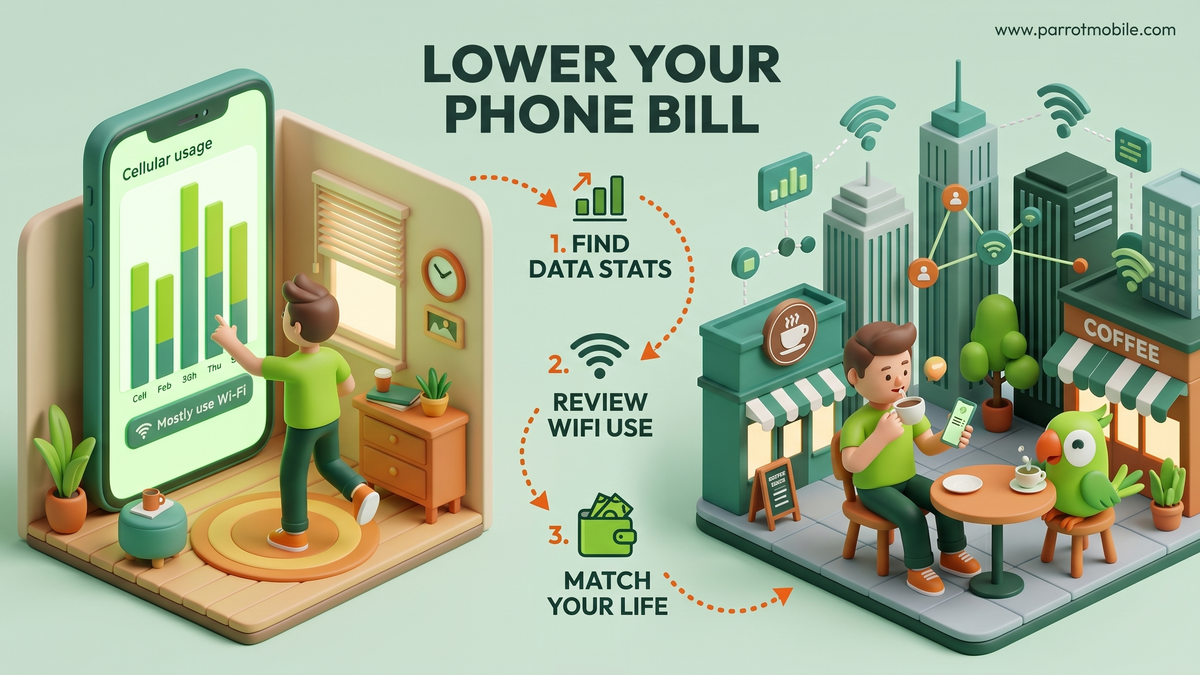
Step 1: Find out how much data you really use
Your phone has been quietly tracking your data usage this whole time. You don't need to call your carrier to find out your number. Here's exactly where to look.
On an iPhone
- Open the Settings app.
- Tap Cellular (or Mobile Data, depending on your region).
- Scroll down past your personal hotspot settings to the section labeled Cellular Data.
- Look for the number next to Current Period.
One important catch: The iPhone doesn't automatically reset this number every month. If you've never reset it, that number might reflect years of usage! To get an accurate reading, scroll to the very bottom of that screen and tap Reset Statistics today. Set a calendar reminder to check back in exactly 30 days for a clean, accurate monthly number.
On an Android phone
- Open the Settings app.
- Tap Network & internet (or Connections on Samsung devices).
- Tap Data usage (or Mobile data usage).
Android is usually much better about this than iOS. It typically shows your usage per billing cycle automatically, often with a tidy little graph that breaks down exactly which apps are using the most data.
Step 2: Be honest about the number
When you check your real usage, prepare to be surprised. A lot of people find they're using 2-5 GB a month, not the 30+ GB their "unlimited" plan implies.
Why is it so low? Because most of your heavy lifting - Netflix binges, big app downloads, FaceTime calls, and endless scrolling - happens on Wi-Fi.
Rule of thumb: if you're connected to Wi-Fi most of the day, your cellular data needs are probably way smaller than the plan you're paying for.
If you discover you're only using 3 GB of data a month, paying $80 for an unlimited plan is like paying for an all-you-can-eat buffet when you only wanted a side salad.
Step 3: Match a plan to your real life
Once you know your number, you can stop guessing and start saving. Here is a rough guide to what different data tiers actually look like in the real world:
| Your monthly data use | What it looks like in real life |
|---|---|
| Under 1 GB | You're almost always on Wi-Fi. You use cellular data occasionally for Google Maps, iMessage, and checking email. |
| 2-5 GB | Normal browsing, social media scrolling on your commute, streaming Spotify in the car, and occasional YouTube videos off Wi-Fi. |
| 5-10 GB | Regular streaming, frequent video calls off Wi-Fi, playing online mobile games, and heavy social media use. |
| 10 GB+ | You're a true mobile power user. You frequently use your phone as a mobile hotspot or stream HD video during a long, Wi-Fi-free commute. |
If you land in the first two rows - and the vast majority of people do - you are a prime candidate to cut your bill dramatically by switching to a "By-the-Gig" or fixed-data plan.
The Savings Breakdown: Unlimited vs. Fixed Data
Let's look at the math. Meet Sarah. Sarah was paying $85 a month for a premium unlimited plan with a major carrier. She checked her iPhone settings and realized she only used about 4 GB of cellular data a month because she works from home.
She switched to a 5 GB plan on an MVNO for $15 a month. Here is what her savings look like over time:
| Timeframe | Big Carrier Unlimited ($85/mo) | MVNO 5GB Plan ($15/mo) | Sarah's Total Savings |
|---|---|---|---|
| 1 Month | $85 | $15 | $70 |
| 6 Months | $510 | $90 | $420 |
| 1 Year | $1,020 | $180 | $840 |
| 2 Years | $2,040 | $360 | $1,680 |
By simply matching her plan to her actual usage, Sarah saved enough money in two years to buy a brand-new flagship smartphone in cash, with money left over for a vacation.
Watch Out for Hidden Carrier Fees
When you're trying to lower your bill, the data plan is only half the battle. Big carriers are notorious for padding your monthly statement with hidden fees. If you're auditing your bill, look out for these common culprits:
- Activation & Upgrade Fees: Charged simply for turning on a new phone or upgrading your device. (Usually $30-$35).
- Administrative Fees: A vague fee carriers charge to cover their own internal costs like cell site maintenance and property taxes.
- Device Insurance: Often added by salespeople at the store without explicitly asking. If you have an old phone, you probably don't need to be paying $15/month to insure it.
- Bundled "Perks": Are you paying an extra $10 a month for a premium plan just because it includes a streaming service you rarely watch?
When you switch to a modern MVNO, the pricing is usually transparent. What you see is what you pay.
A few easy extra wins to lower data usage
If you want to squeeze into an even cheaper data tier, there are a few painless ways to reduce your cellular data footprint without changing how you use your phone:
- Turn on Wi-Fi auto-connect for places you trust (like home and work) so you're not burning cellular data needlessly when you forget to toggle it on.
- Limit background app refresh. Apps like Facebook and Instagram quietly sip data in the background even when you aren't using them. Turn this off in your settings.
- Download before you go. Download your Spotify playlists, Apple Podcasts, and Google Maps areas while you're on Wi-Fi before you leave the house.
- Skip the "free" subsidized phone. Bundled phone payments are often what bloat a bill in the first place. Buy your phone unlocked and keep it for 3-4 years.
People Also Ask (FAQs)
Will I get charged overage fees if I go over my data limit? It depends on the carrier, but most modern MVNOs (including Parrot Mobile) do not charge surprise overage fees. If you hit your data cap, your data speeds will simply slow down until the next billing cycle, or you'll have the option to purchase a small "top-up" bucket of data for a few dollars. No nasty surprises.
Does Wi-Fi calling use cellular data? No! Wi-Fi calling routes your phone calls and text messages over your Wi-Fi network instead of the cellular towers. It does not count against your monthly cellular data bucket.
How do I check my data usage if my phone doesn't show it accurately? If your phone's internal tracker is confusing, the best way to check your historical usage is to log into your current carrier's app or website. Look for past billing statements-they almost always include a breakdown of exactly how many gigabytes you used in previous months.
Should I buy a phone through my carrier or buy it unlocked? Always buy it unlocked if you can afford to. When you buy a phone through a carrier, they usually lock you into a 24-to-36-month payment plan. This makes it incredibly difficult to switch to a cheaper plan if you find a better deal. Buying unlocked gives you the freedom to move to any carrier, at any time.
Is it hard to cancel my current expensive plan? Not at all. In fact, you usually don't even have to talk to them. When you sign up for a new, cheaper carrier and request to "port" (transfer) your phone number over, the new carrier handles the breakup for you. Once your number transfers successfully, your old expensive plan is automatically canceled.
Where Parrot Mobile comes in
This is exactly why we built Parrot Mobile the way we did. Instead of one expensive "unlimited" bucket, you pick a plan that matches your real usage - and plans start at just $6/month. If you discovered you're a 2 GB person, you shouldn't be paying like a 30 GB person.
Take your real usage number and compare it to our plans. There's a decent chance you can keep the exact same coverage and pocket the difference every single month.
Paying for what you use isn't a gimmick. It's just what your bill should have looked like all along. Stop renting the moving truck. Grab a backpack and start saving.