Your phone needs a SIM to connect to a network - that part hasn't changed in decades. What has changed is that the little plastic chip is slowly being replaced by software. If you've heard the word "eSIM" tossed around and weren't totally sure what it meant, this one's for you.
Let's clear up the difference, because it's simpler than it sounds.
What a SIM card actually does
Whether it's plastic or digital, a SIM card has one job: it proves to the network that your phone is your phone.
SIM stands for Subscriber Identity Module. Think of it like a VIP pass to an exclusive club. The cell towers are the bouncers. When your phone tries to make a call or load a webpage, the tower checks your SIM. If the SIM has a valid, active account attached to it, the tower lets you in. If it doesn't, you get the dreaded "No Service" or "Emergency Calls Only" message.
It stores the identity your carrier uses to connect your calls, texts, and data to your account. It does not store your photos, your apps, or your text message history (a common misconception from the flip-phone era!).
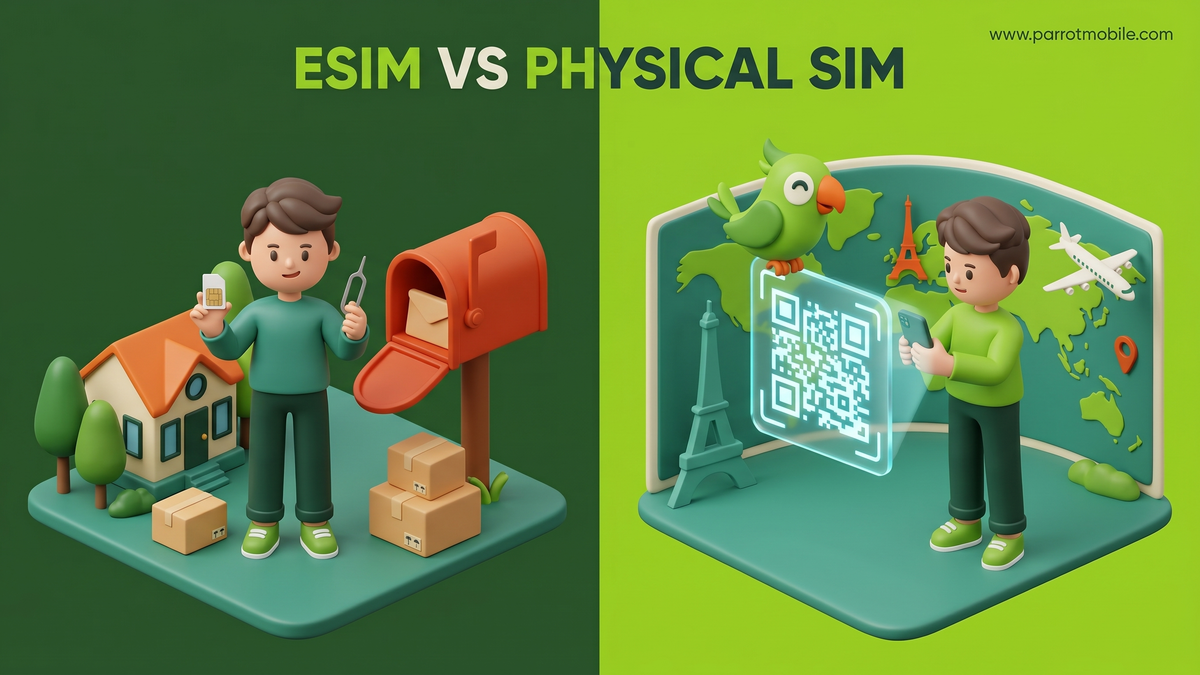
A physical SIM stores that identity on a tiny removable chip you slot into your phone using a paperclip or a specialized SIM ejector tool.
An eSIM (the "e" is for embedded) stores the exact same information on a microscopic chip that's already permanently built into your phone's motherboard - no slot, no plastic, nothing to lose in the couch cushions. Instead of inserting a physical object, you simply download a "profile" (a small piece of software) that tells the embedded chip how to connect to your carrier.
eSIM vs. physical SIM, side by side
Here's the quick comparison of how the two technologies stack up against each other:
| Feature | Physical SIM | eSIM |
|---|---|---|
| How you get it | Mailed to you or bought in a retail store | Delivered digitally, instantly via email or app |
| Setup Process | Pop the chip into the tray with a tool | Scan a QR code or tap a button to activate |
| Switching phones | Physically move the chip to the new phone | Re-download the digital profile on the new phone |
| Multiple plans | One plan per physical slot | Store several profiles, switch between them anytime |
| Can you lose it? | Yep, they are incredibly easy to drop | Nope - it's permanently inside the phone |
| Security | Can be stolen and put in another device | Cannot be removed; thief can't bypass "Find My Phone" |
| Environmental Impact | Requires plastic, packaging, and shipping | Zero waste, zero shipping emissions |
Both get you the exact same cellular service. The call quality, data speeds, and network coverage are identical. The differences are entirely about convenience, security, and flexibility.
Why eSIM is having a massive moment
For years, eSIM was a niche feature. Now, it's the industry standard. Here are a few reasons why eSIM is taking over the wireless world:
- Instant setup. No waiting 3-5 business days for the mail. No driving to a strip mall. You can activate a new phone line minutes after signing up, right from your couch, at 2:00 AM on a Sunday.
- Great for international travel. You can buy and download a local travel data plan before your plane even takes off, while keeping your home number active for important texts.
- Significantly more secure. If a thief steals your phone, their first move is usually to pop out the physical SIM card so the phone disconnects from the internet, making it impossible for you to track it. With an eSIM, they can't do that. The phone stays connected, making it much easier to locate and wipe remotely.
- Two numbers, one phone. This is the killer feature. You can run a work line and a personal line on the exact same device without juggling multiple chips or carrying two separate phones.
Apple forced the industry's hand when they went all-in on eSIM with the iPhone 14, removing the physical SIM tray entirely on all US models. Google Pixel and Samsung Galaxy flagship phones have also heavily supported eSIM for years.
Deep Dive: The Magic of Dual SIM
One of the biggest advantages of eSIM technology is the ability to use "Dual SIM." Because an eSIM doesn't take up physical space in a tray, many modern phones allow you to have an eSIM and a physical SIM active at the exact same time. (Or, on newer iPhones, two active eSIMs simultaneously).
Here is how people use Dual SIM in the real world:
Scenario 1: The Work/Life Balance
Instead of carrying a bulky work phone and a personal phone, you can put your personal number on a physical SIM and your work number on an eSIM.
- When you make a call, your phone asks which number you want to use.
- When someone calls you, your screen clearly indicates whether they are calling your work line or your personal line.
- At 5:00 PM on Friday, you can simply toggle the work eSIM "off" in your settings and enjoy your weekend in peace.
Scenario 2: The Smart Traveler
Let's say you live in the US but are taking a two-week vacation to Europe.
- Before you leave: You buy a cheap European travel eSIM online and scan the QR code.
- On the plane: You go into your settings and turn off "Data Roaming" on your primary US SIM so you don't get hit with massive fees. You set your new European eSIM as your primary data source.
- When you land: Your phone uses the cheap European eSIM for Google Maps, web browsing, and WhatsApp. But because your US SIM is still active in the background, you can still receive SMS text messages (like bank login codes) on your regular phone number!
Step-by-Step: How to Activate an eSIM
If you've never used an eSIM before, the idea of "downloading" a phone plan might sound complicated. It's actually incredibly easy. Here is how it usually works:
Method 1: The QR Code (Most Common)
- You sign up for a plan on your computer or tablet.
- The carrier emails you a QR code.
- On your phone, you go to Settings > Cellular > Add eSIM.
- Your camera opens. You point it at the QR code on your computer screen.
- Your phone says "Activating..." and a few minutes later, you have bars of service.
Method 2: The Carrier App
- You download the carrier's app directly to your phone over Wi-Fi.
- You create an account and choose a plan.
- You tap a button that says "Install eSIM."
- The app securely communicates with your phone's operating system to install the profile automatically. No scanning required!
When a physical SIM still makes sense
eSIM is the future, but it isn't always the perfect answer right now. A physical SIM is still incredibly handy when:
- Your phone is older. If you have a budget phone or a device older than 3-4 years, it likely doesn't have the embedded chip required for eSIM.
- You swap phones constantly. If you are a tech reviewer, a developer, or just someone who likes switching between an iPhone and an Android device every weekend, physically moving a plastic chip is currently faster than re-downloading an eSIM profile.
- You're setting up a phone for someone else. If you're handing a phone to a kid, an elderly relative, or setting up a fleet of basic company phones, popping in a pre-activated physical SIM is one less digital hurdle to jump through.
Not sure if your phone supports eSIM? On most phones you can dial
*#06#in your phone app - if you see an EID number listed on the screen that pops up, you've got an eSIM chip ready to go. Or just check your Settings app for an "Add eSIM" or "Add cellular plan" option.
People Also Ask (FAQs)
Can I convert my existing physical SIM to an eSIM? Yes! Most major carriers and modern smartphones support this. On an iPhone, for example, you can often go to Settings > Cellular, tap your physical SIM plan, and look for an option that says "Convert to eSIM." The phone handles the rest automatically.
Does using an eSIM drain my battery faster? No. An eSIM uses the exact same amount of battery power as a physical SIM. However, if you are using Dual SIM (having two lines active at the exact same time), your phone is communicating with two different networks simultaneously, which can cause a slight increase in battery drain.
Can I move my eSIM to a new phone when I upgrade? Yes, but the process is digital. When you get a new phone, Apple and Google have built-in transfer tools that can move your eSIM wirelessly from the old phone to the new one during the initial setup process. If that fails, you simply log into your carrier's app on the new phone and request a new eSIM QR code.
What happens to my eSIM if I lose my phone or it breaks? Your phone number is safe! Because your account details are stored in the cloud with your carrier, you simply contact your carrier, report the device lost, and they will issue a new eSIM QR code (or mail you a physical SIM) for your replacement device. The thief cannot extract your eSIM to use your number.
Do all carriers support eSIM? Almost all major carriers and modern MVNOs support eSIM today. However, some very small, regional, or older prepaid carriers may still rely exclusively on physical SIM cards. Always check the carrier's website before signing up.
Switching to Parrot Mobile, either way
Good news: we support both. With Parrot Mobile, eSIM is the instant default - choose a plan and we deliver an activation QR code straight to your account, so you can be up and running in minutes. Prefer plastic? You can grab a SIM Card Kit instead.
Either way, your number and contacts come along for the ride. When you're ready, you can activate your line in just a few steps.
The takeaway: eSIM and physical SIM do the exact same job. eSIM is just the more flexible, faster, harder-to-lose version of the SIM you already know - and for most people, it's the easier, smarter way to go.