The number one reason people stay with a phone carrier they don't even like? Fear of the switch.
You know the feeling: you're paying too much, your data is slow, and the customer service is practically non-existent. But when you think about leaving, a wave of anxiety hits. "Won't I lose my number? Won't there be a gap where my phone doesn't work? Isn't it a whole ordeal?"
Nope, nope, and nope. Moving your phone number from one carrier to another is officially called porting, it's a legal right in the US, and it is genuinely a straightforward three-step process. In the age of digital sign-ups and eSIMs, switching carriers can often be done from your couch in less time than it takes to watch an episode of your favorite sitcom.
Let's walk through the entire process, demystify the jargon, and get you ready to break free from your current cellular contract.
First, the thing everyone worries about: Your Number
You get to keep it. Period.
Phone number portability is protected by the Federal Communications Commission (FCC), which means no carrier can legally hold your number hostage. As long as you remain in the same geographic area, your new carrier can request the number from your old one, and it comes right along with you.
Even better: your old service keeps working right up until the transfer completes. There's no dead zone where you're unreachable. You won't miss important texts, your mom can still call you, and your two-factor authentication codes will still arrive safely.
Which leads us to the single most important rule of switching phone carriers:
Do NOT cancel your old plan before the port finishes. Canceling your old plan early can release your number back into the public pool, making it incredibly difficult (and sometimes impossible) to retrieve. Let the new carrier do the canceling for you-it happens automatically the moment your number successfully lands on their network.
Comparison: Keeping Your Number vs. Getting a New One
Sometimes people wonder if it's just easier to start fresh. Here is a quick look at why keeping your number usually wins out.
| Feature | Keeping Your Number (Porting) | Getting a New Number |
|---|---|---|
| Setup Speed | Takes a few hours to complete (behind the scenes). | Instant activation. |
| Contacts | Seamless. Everyone already has your info. | Huge hassle. You have to text all your contacts the new digits. |
| Accounts & 2FA | No changes needed to bank accounts, social media, or email 2FA. | You must update your number on every single account you own before switching, or risk getting locked out. |
| Carrier Cancellation | Happens automatically when the port completes. | You have to manually call and cancel your old service. |
| Business/Work | Clients and colleagues can still reach you. | You risk missing important calls from people who didn't get the memo. |
Clearly, porting your number is the way to go. Now, let's look at exactly how to do it.
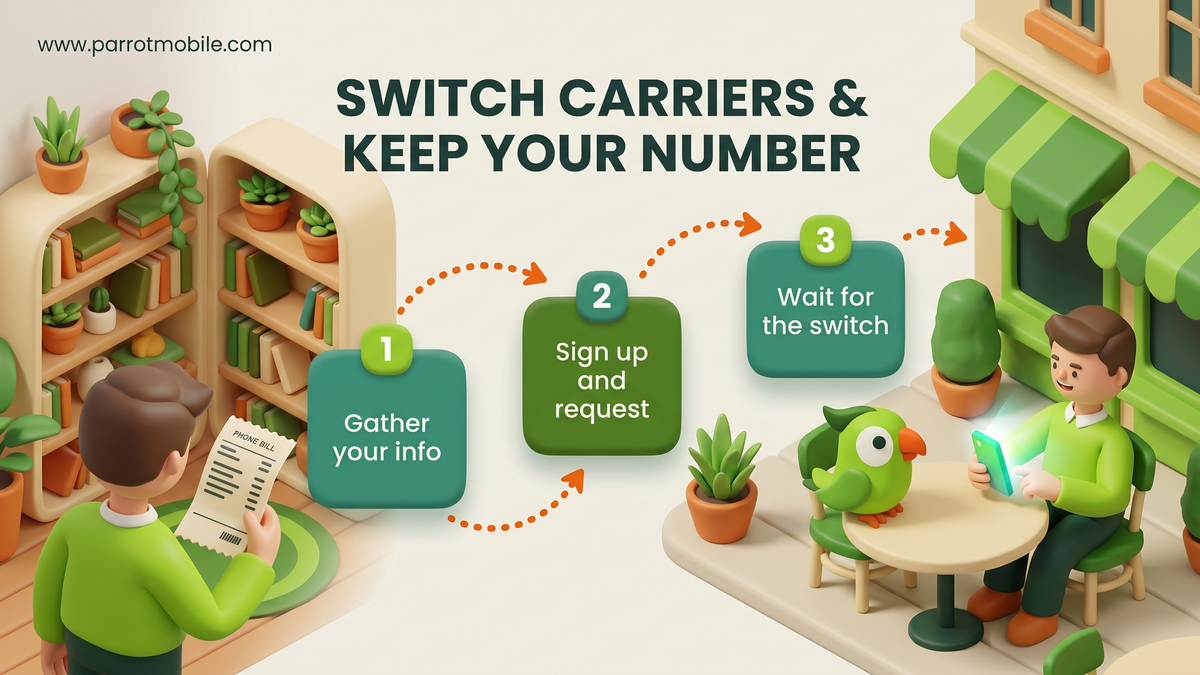
Step 1: Gather your info (and check your phone)
Before you even start looking at new plans, you need to grab a few things from your current carrier. You can usually find these details by logging into your old carrier's mobile app, checking your account website, or, if all else fails, calling their support line.
Here is the exact checklist of what you will need:
- Your phone number: (The one you're transferring, obviously).
- Your account number: This is usually found at the top of your bill or in the profile section of your app. It is rarely the same as your phone number.
- Your Transfer PIN: Also called a "Number Transfer PIN" or "Porting PIN." This is not your voicemail PIN or the password you use to log into the app. It is a specific, highly secure code that carriers now require to prevent unauthorized people from stealing your number. Most carriers let you generate a Transfer PIN directly in their app or by texting a specific short code (like dialing #PORT).
- The billing ZIP code: The ZIP code tied to your old account's billing address.
- Bonus check: Is your phone unlocked? If you are bringing your own phone to your new carrier, it must be "unlocked." This means your old carrier has released its software grip on the device. If you bought your phone outright, it's probably unlocked. If you bought it on an installment plan and recently paid it off, you might need to request an unlock from your carrier. (On an iPhone, check this by going to Settings > General > About > Carrier Lock. If it says "No SIM restrictions," you are good to go!)
Most carriers are legally required to give you this information quickly and without a fight. If you get stuck, simply ask their support team for your "Account Number and Number Transfer PIN for porting out."
Step 2: Sign up with your new carrier and request the transfer
Once you have your intel gathered, it is time to make the jump.
When you sign up with your new carrier and pick your plan, you will go through a checkout process. During this process, you will be asked a simple question: "Do you want a new number, or do you want to keep your current number?"
Choose the option to Keep my current number (or "Transfer my number").
A form will pop up asking for the exact information you gathered in Step 1: your phone number, account number, Transfer PIN, and billing ZIP code. Double-check your typing here! One wrong digit is the most common reason a port gets delayed.
That's the moment the magic happens. When you submit the order, your new carrier's computers send a secure port request to your old carrier's computers. You don't have to coordinate anything between them. You don't have to mediate a breakup. You just hand over the four pieces of info and let the robots talk to each other.
Step 3: Wait for the switch (it's usually fast)
Once the request is submitted, all you have to do is wait. But how long does it actually take?
- Mobile to Mobile numbers: Typically, this takes anywhere from a few minutes to a couple of hours. In rare cases, it can take up to 24 hours.
- Landline or VoIP numbers: If you are porting a home phone, a Google Voice number, or a business VoIP line to a mobile carrier, expect a longer wait. These typically take 3 to 10 business days because the old systems require more manual paperwork and verification.
What happens while you wait? Your old service will continue to work normally. You can still make calls, send texts, and use data on your old carrier's SIM card.
When the port is finally approved and complete, your old service will suddenly lose signal (showing "No Service" or "SOS" at the top of your screen). This is your cue! If you ordered a physical SIM card, pop it into your phone now. If you opted for an eSIM, follow your new carrier's instructions to activate it.
Your phone will connect to the new network, and your old account is automatically canceled. You're done!
Quick tip if your port gets stuck
As we mentioned earlier, 99% of failed or delayed ports come down to a tiny typo. It is almost always an account number missing a digit, a Transfer PIN that expired (they usually expire after a few days), or a ZIP code mismatch.
If something stalls, your new carrier will notify you. Just log in, double-check those details against your old account, fix the typo, and resubmit. It's almost never a permanent problem.
People Also Ask (FAQs)
Still have questions? Here are the most common things people ask when moving their number to a new home.
Will I lose my contacts, photos, or apps when I switch carriers?
No. Your contacts, photos, apps, and text message history are saved to your phone's storage or your cloud backup (like Apple iCloud or Google Drive), not your carrier's network. Switching carriers just changes who provides your cell signal; it doesn't wipe your phone.
What if my name isn't the primary name on the account?
This is super common for people leaving a family plan. You don't need to be the primary account holder to port your number, but you do need the primary account holder's information. You will need their account number, their billing ZIP code, and you'll need them to generate the Transfer PIN for you.
Is there a fee to port my number?
No! The FCC prohibits carriers from charging you a specific "porting fee" to take your number. However, keep in mind that you are still responsible for any outstanding balances, device installment payments, or early termination fees on your old account. When you leave, your old carrier will send you one final bill for whatever you still owe.
Can I transfer my number if my current service is suspended?
If your service is suspended for non-payment, you might have a problem. While FCC rules say a carrier cannot refuse a port request solely because you owe them money, a completely inactive or suspended line often cannot be ported technically. It is highly recommended to pay your past due balance and ensure the line is marked "Active" before attempting to transfer.
Do I need to be in the same city to keep my number?
No. Thanks to modern cell phone routing, you can move across the country and keep your old area code forever. Just remember that if you move to a new state and keep your old number, your friends in your new state will technically be making "long-distance" calls to reach you (though practically all modern mobile plans include nationwide calling anyway).
What is the difference between a physical SIM and an eSIM when porting?
A physical SIM is a small plastic chip mailed to you. An eSIM is a digital SIM already built into modern smartphones. If you choose an eSIM, the porting process is exactly the same, but you don't have to wait for the mailman. Once the port completes, you simply scan a QR code or tap a button in an app to download your new cellular profile instantly.
Switching to Parrot Mobile
We know the industry has a bad reputation for making things complicated, so we built our sign-up process to handle all the heavy lifting for you.
The fastest path: check if your number can transfer first - it takes 5 seconds and doesn't require an account. Once confirmed, pick a plan (your number is already attached), enter your account number, Transfer PIN, and ZIP at checkout, and our system instantly starts negotiating with your old carrier.
If you are bringing your own phone (BYOD) and have an eSIM-compatible device, you can often be up and running on Parrot Mobile the very same day. No waiting for a physical card to arrive in the mail, no calling customer support, no headaches.
If you are switching to a premium or vanity number, the process is exactly the same! Check out our Ultimate Guide to Buying and Porting a Premium Phone Number to see how easy it is to bring a custom number with you.
Keep your old service active until we email you confirming the transfer is done, tap to install your new eSIM, and that's it. You get to keep the same number you've had for years, but now you have a new (much smaller) monthly bill.
Turns out, the whole "ordeal" isn't an ordeal at all. Welcome to better mobile service.